DeepSeek R1 with SillyTavern: Local Ollama Setup on Windows
A practical Windows setup for running DeepSeek R1 with Ollama and connecting SillyTavern to the local model service, covering model size, GPU requirements, API settings, and common problems.
After DeepSeek R1 became popular, two common ways of using it quickly appeared.
One is to use the official website or API directly. The other is to run an open model locally, then connect it to SillyTavern for role chat.
This article is about the second route: running DeepSeek R1 locally on Windows with Ollama, then connecting SillyTavern to the Ollama service on the same machine.
The upside is clear: the model runs on your own computer, the setup is not too complicated, and the conversation does not have to go through a cloud model provider. The downside is just as clear: local hardware decides the experience. A small distilled model is good enough for testing and casual play, but it should not be treated as the same thing as the full online DeepSeek model.
If the machine does not have a strong GPU, or if the goal is simply to use DeepSeek in SillyTavern with less friction, the API route is usually more practical: SillyTavern DeepSeek API Setup: Step-by-Step, No GPU Required.
For a side-by-side decision before installing either route, see SillyTavern with DeepSeek: Local Ollama vs API Setup.
What Hardware Makes Sense
The short version:
- For casual SillyTavern role chat, start with
deepseek-r1:8bordeepseek-r1:14b. - With about 24 GB of VRAM,
deepseek-r1:32bbecomes worth trying. - Models at 70B and above are much heavier for ordinary personal machines.
- The official DeepSeek website and API run larger online models. A local distilled model is not the same experience.
Ollama’s DeepSeek R1 page lists the currently available model tags and sizes. Check the official page before downloading a large file: Ollama: deepseek-r1.
As of May 5, 2026, the page showed tags such as 8b, 14b, 32b, 70b, and 671b. The 32b model was about 20 GB, which made it a reasonable experiment for a 24 GB VRAM card.
Install SillyTavern
SillyTavern is a Web UI for role chat and character card management. It does not run a large language model by itself. Instead, it connects to providers and local backends such as OpenAI, DeepSeek, Ollama, KoboldCPP, and LM Studio.
The official repository is here: SillyTavern/SillyTavern.
On Windows, install these first:
SillyTavern’s documentation recommends the release branch for most users. Open a terminal in a non-system directory, such as your user directory or Documents folder, then run:
git clone https://github.com/SillyTavern/SillyTavern -b release
If GitHub HTTPS access is unstable, you can configure an SSH key and clone with SSH instead:
git clone git@github.com:SillyTavern/SillyTavern.git -b release
Enter the SillyTavern folder and double-click Start.bat. The first start installs dependencies. After that, a browser window usually opens automatically.
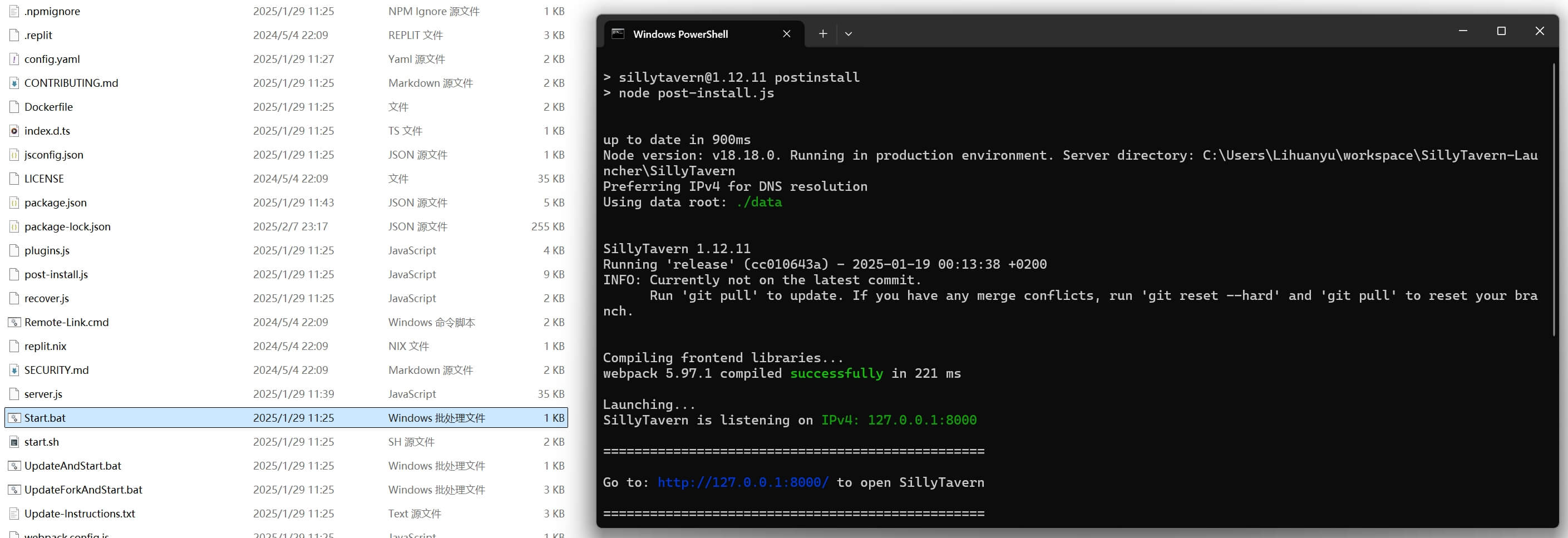
At this point, the SillyTavern interface is running, but it is not connected to any model yet.
Run DeepSeek R1 with Ollama
Ollama is a local model runner. The installation, model download, and run commands are straightforward. Download it from ollama.com.
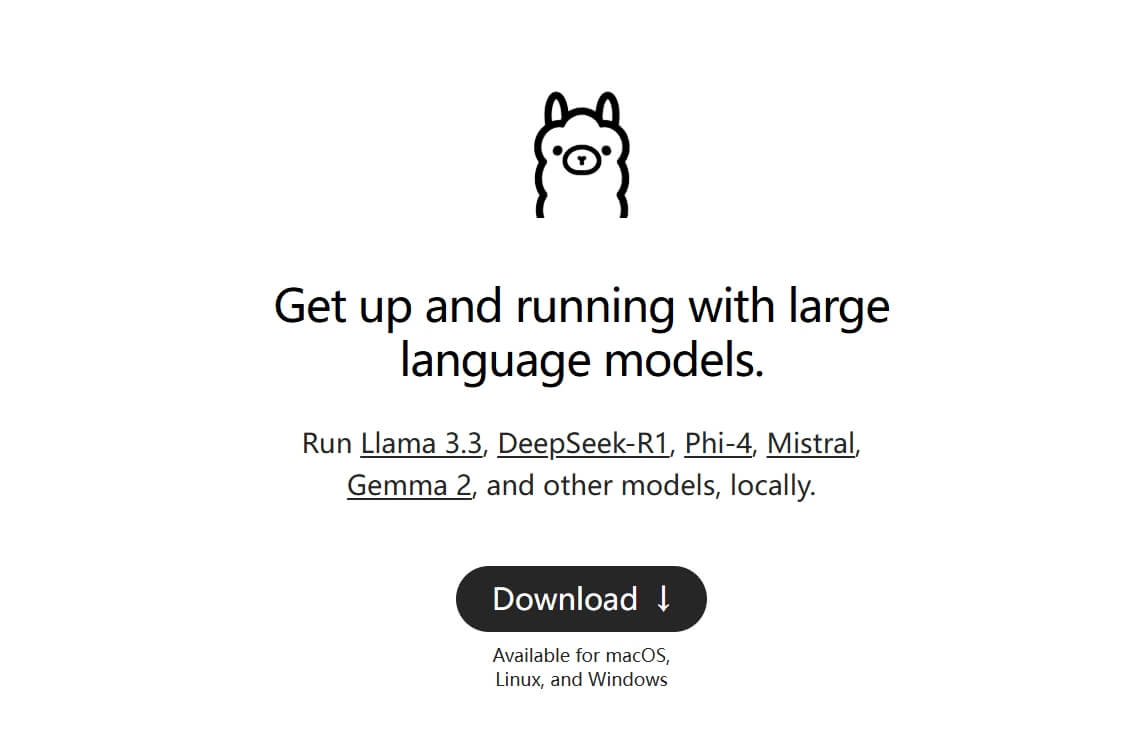
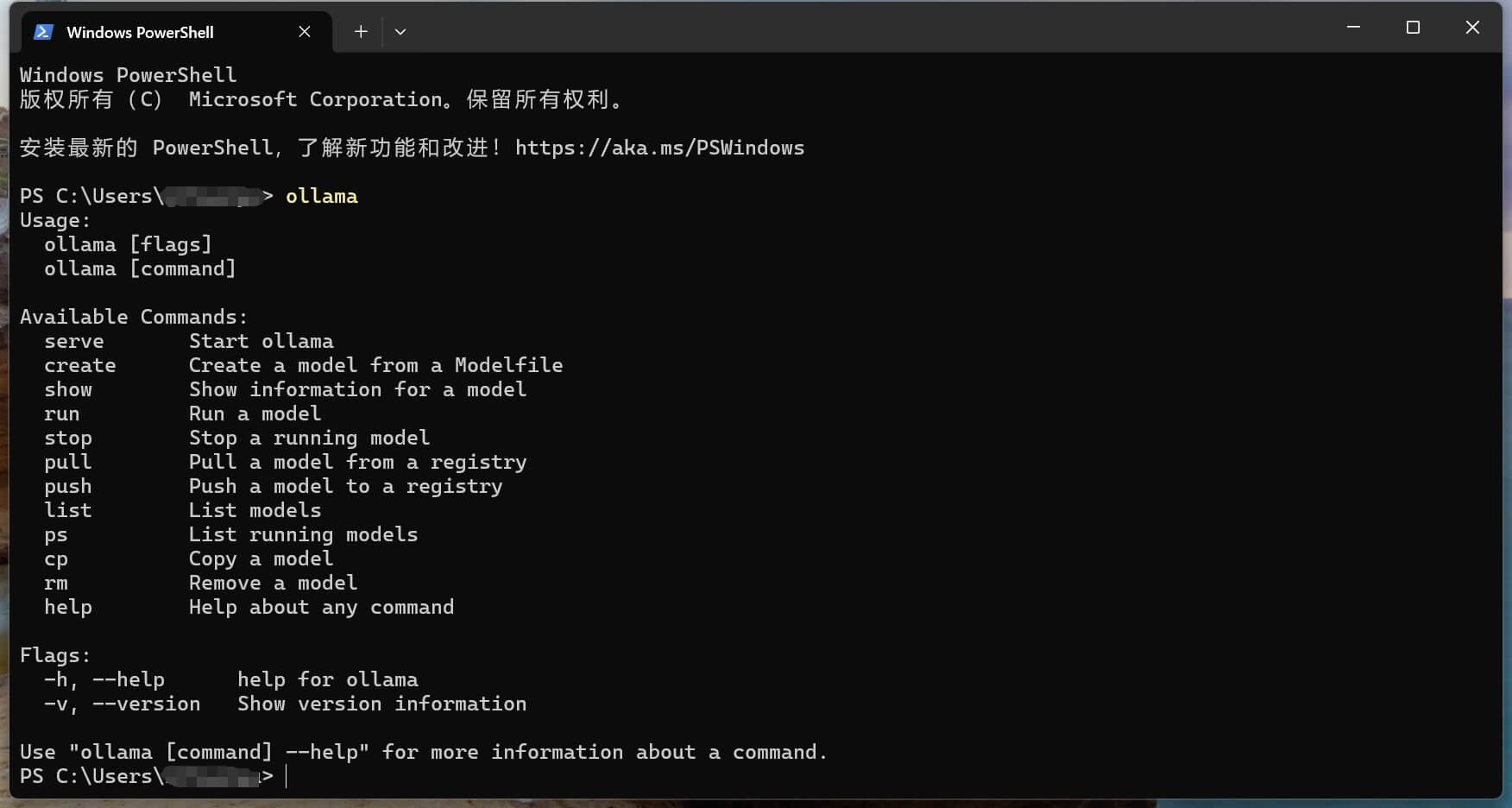
After installation, Windows should show the Ollama icon in the tray area, which means the local service is running. Open a terminal and type:
ollama
If the command help appears, Ollama is installed correctly.
Next, open the DeepSeek R1 page on Ollama and choose a model size:
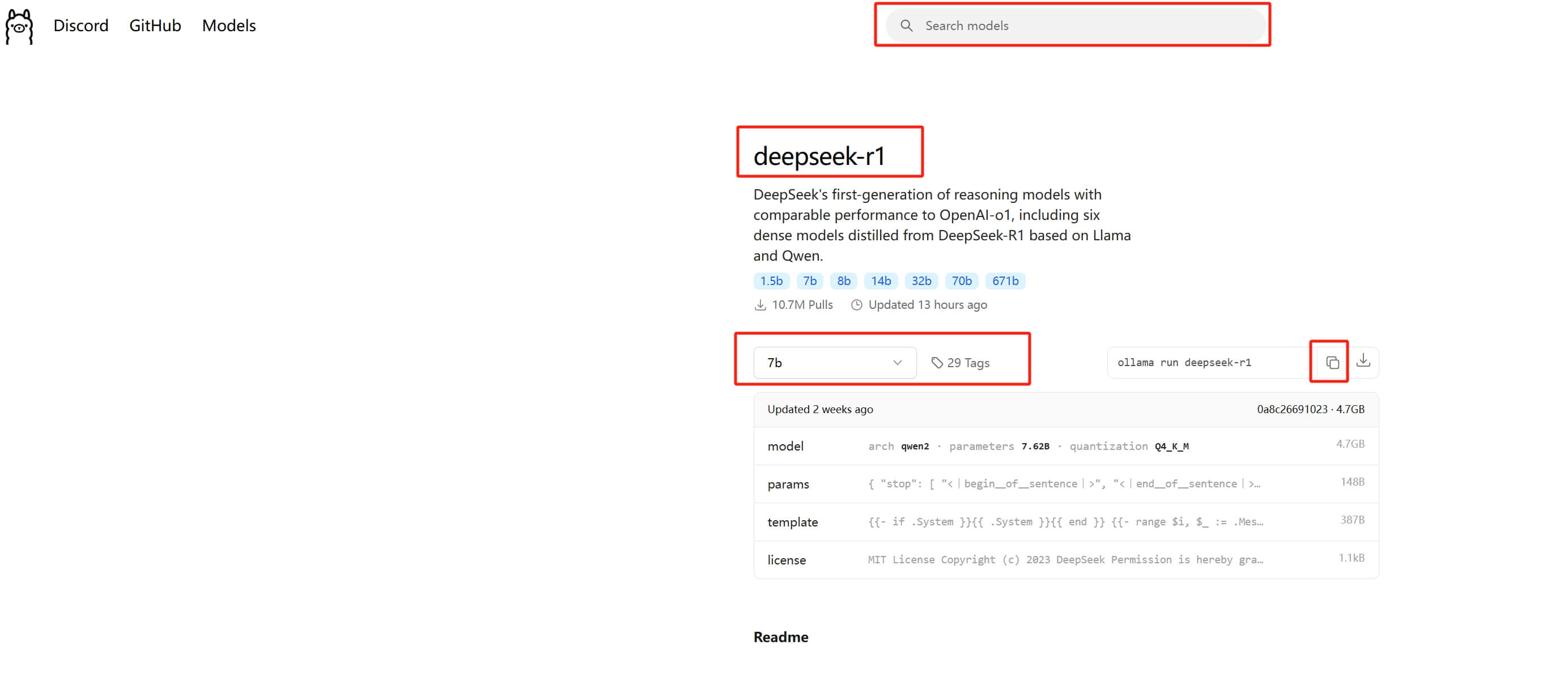
For example, to run the 32B version:
ollama run deepseek-r1:32b
The first run downloads the model file. The time depends on network speed and model size. On my RTX 4090 machine with 24 GB of VRAM, 32b was smooth enough. If your VRAM is smaller, start with 8b or 14b.
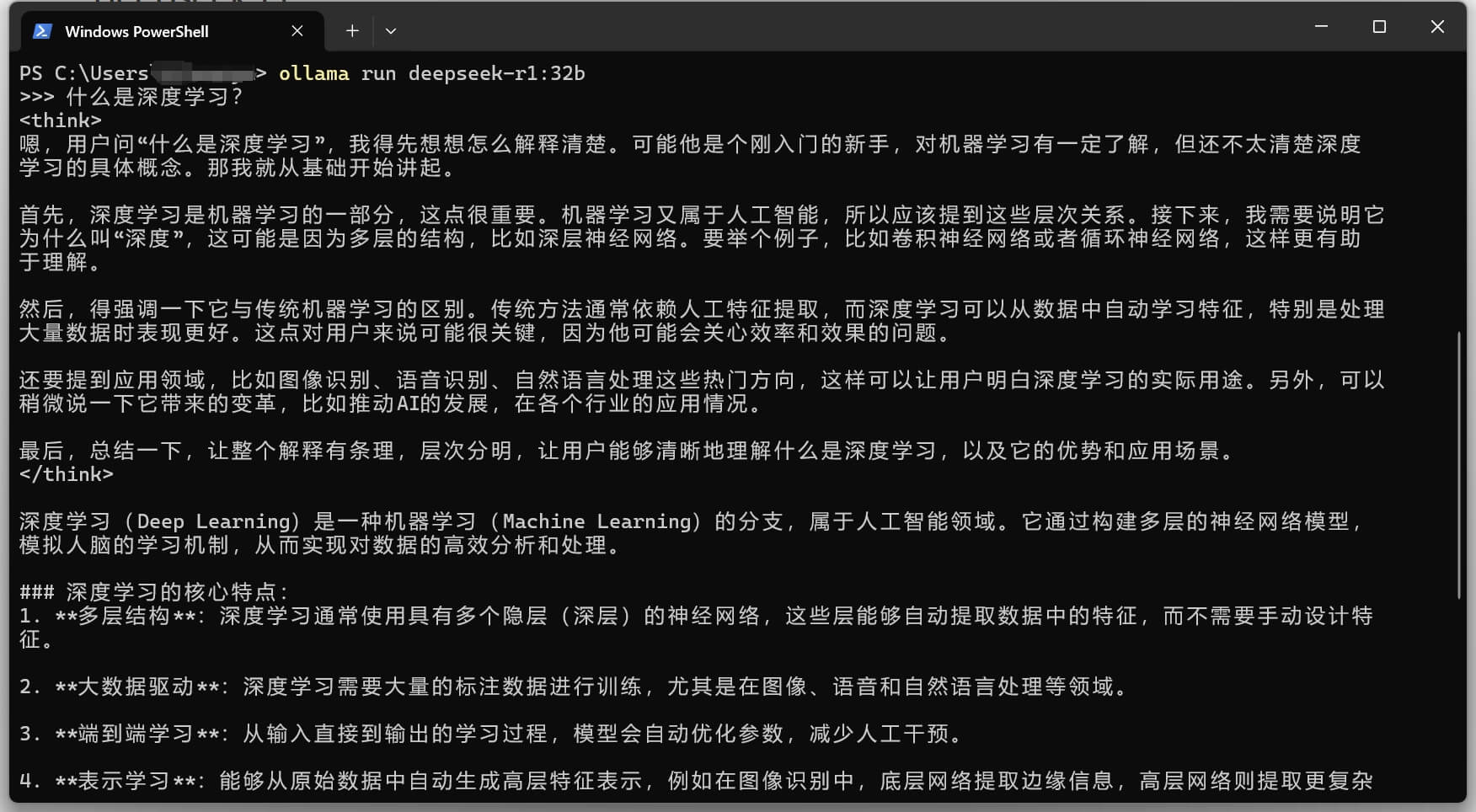
One thing is worth keeping in mind: Ollama runs open weights or distilled models locally. This is great for learning, testing, and personal experiments, but it is not the same quality tier as the official online DeepSeek models. For stable long-term use, the official API or another cloud model service may be a better default.
Connect SillyTavern to Ollama
After SillyTavern starts, the page looks roughly like this:
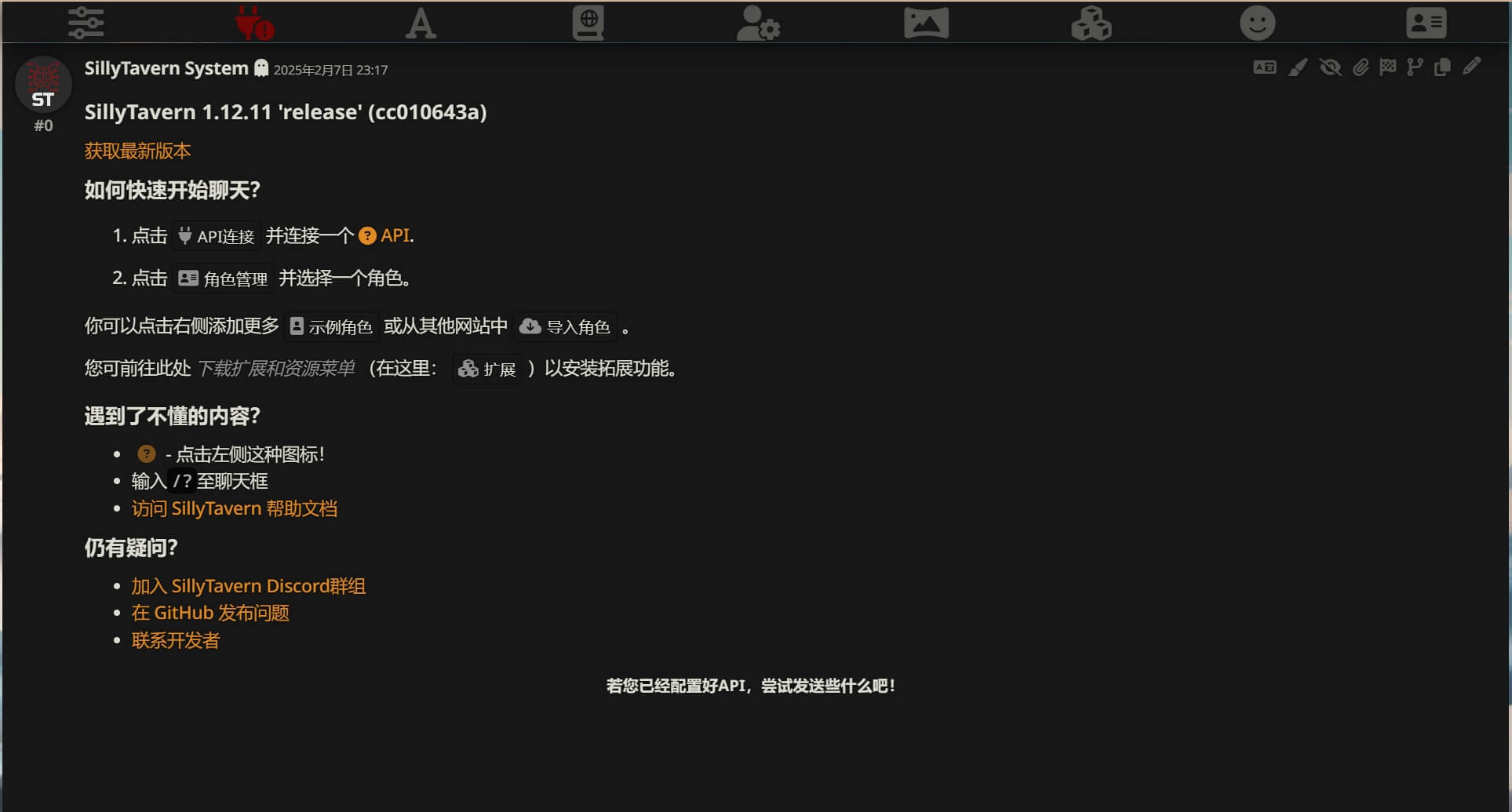
Click the plug icon at the top to open the API connection settings. UI labels may change between versions, but the core settings are usually:
- API type: choose the Text Completion or Chat Completion option that supports Ollama.
- Backend service: choose Ollama.
- API URL: usually
http://127.0.0.1:11434. - Model: choose or type the model you just ran, for example
deepseek-r1:32b.
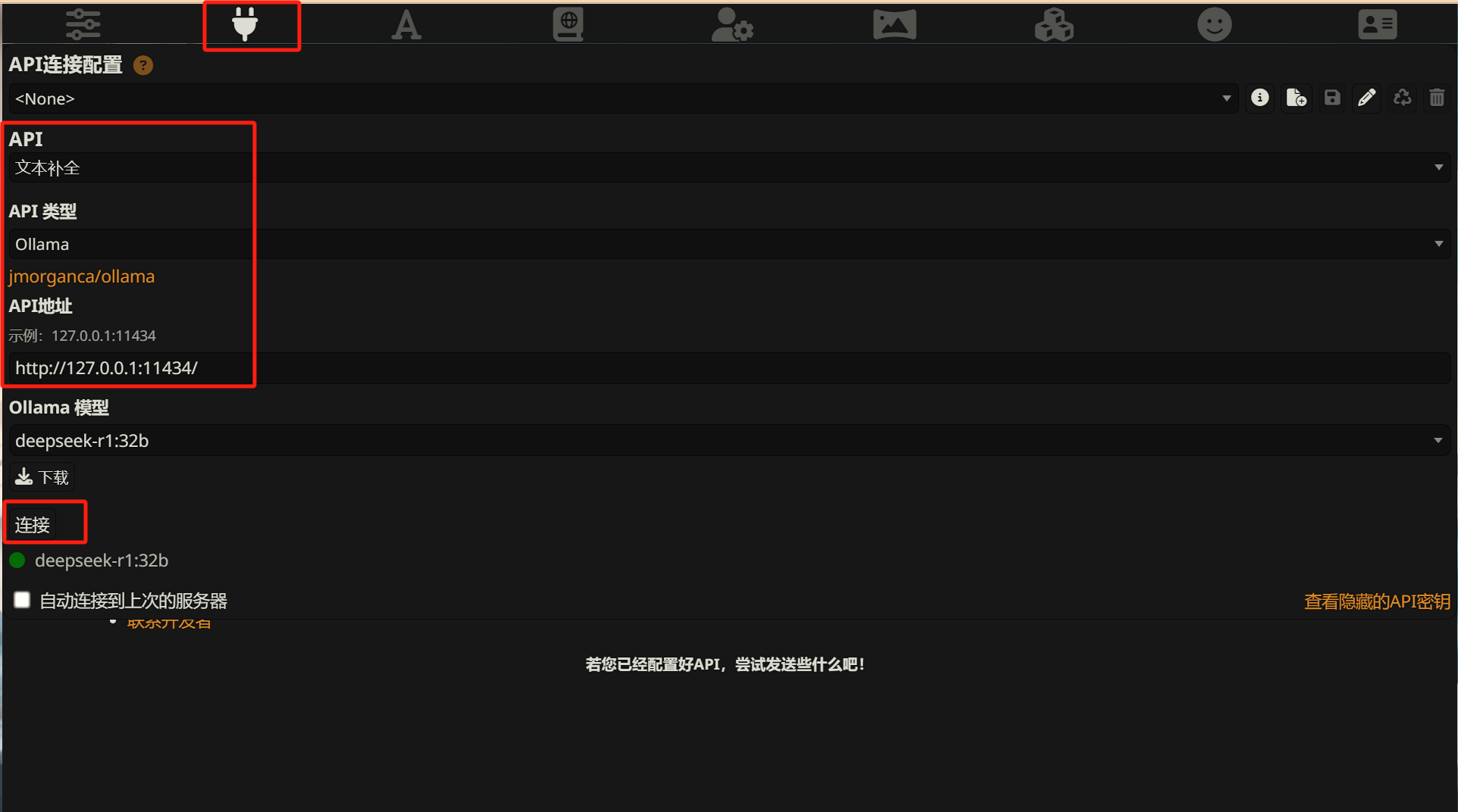
If you see a green status indicator, a model list, or a successful test response, SillyTavern has connected to the local Ollama service. You can then choose a character card and start chatting.
If no model appears, check from the terminal first:
ollama list
If the target model is missing, run a small model once:
ollama run deepseek-r1:8b
Confirm that it replies in the terminal, then return to SillyTavern and refresh the connection.
Common Questions
Does DeepSeek in SillyTavern have to be local?
No. Local deployment is for people who have the hardware, want offline use, or enjoy testing local models. Without a GPU, the official API is usually simpler and more stable. The API route is covered here: DeepSeek API with SillyTavern: A No-GPU Setup.
Which size should I choose: 7B, 8B, 14B, or 32B?
Choose based on VRAM and patience. Smaller models respond faster and need fewer resources, but role understanding, long context handling, and complex expression are weaker. Larger models usually feel better, but download size, VRAM usage, and waiting time all increase.
For a first test, start with 8b or 14b. Once the whole connection works, try a larger version if the machine can handle it.
What if SillyTavern connects to Ollama but shows no model?
First confirm that the Ollama service is running and the model is actually downloaded. Run ollama list in the terminal. If the model is there, check that SillyTavern points to http://127.0.0.1:11434. Do not paste the Ollama model page URL or the GitHub repository URL into the API field.
Is local Ollama better than the official DeepSeek API?
They solve different problems.
Local Ollama is more controllable, can work offline, and does not charge by token. The official API usually has better model quality, better stability, and no local hardware requirement.
For casual role chat and experiments, local models are fun. For regular use where reliability matters, the API route is often easier to live with.
Other Local Tools
SillyTavern is not the only way to use Ollama. For ordinary Q&A, a browser extension such as Page Assist can connect to Ollama and provide a more ChatGPT-like local interface.
If you want to try more local inference tools, KoboldCPP and LM Studio are also worth looking at. Ollama is simpler. KoboldCPP and LM Studio expose more model management, UI, and parameter controls.
Loading discussion...
Discussion failed to load. Reload